Brand projects leave a trail. A logo file lands in one folder. A client approval sits in an email. A style note hides in a thread. A usage rule arrives as an attachment. Soon, the project looks less like a clean desk and more like a drawer full of loose receipts.
Good documentation fixes that. It turns scattered proof into a clear record. It gives each decision a home. It helps a team show what was approved, who approved it, and when it happened.
EML files often hold key project facts. They may contain client sign-offs, logo usage notes, brand color changes, or final approval messages. Yet EML files do not always fit neatly into reports, briefs, or handover folders. A DOC file works better when teams need editable text, clean formatting, and easy sharing.
This article covers a simple idea: move important brand emails from EML files into DOC records. The goal is not more paperwork. The goal is less hunting, fewer doubts, and cleaner project handoffs.
Why Brand Teams Save Emails As Project Evidence
Brand work depends on clear proof. A team may download a logo, resize it, place it on a page, and send it to a client. Yet the file alone does not tell the full story. The real proof often sits in email.
An email can confirm a logo version. It can approve a color change. It can allow use of a mark in an ad, deck, or partner page. It can also name limits. For example, a client may approve the blue logo for a web banner but reject it for packaging. That small note matters.
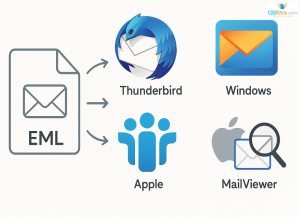
Many teams save these messages as EML files. The format keeps the email content, sender, date, subject line, and attachments together. It works like a sealed envelope. The message stays intact, but it may not fit well inside a clean project report.
That is where a DOC record helps. A DOC file opens in common word processors. Teams can edit it, add notes, quote key approval lines, and place it inside a brand folder. When an EML file needs to become a clean working document, an online EML to Word converter can turn the saved email into a DOC file without extra desktop software.
This simple step gives email evidence a better shape. Instead of digging through old inboxes, the team can open one clear file. It can read the approval, check the date, and move on with confidence.
Turning Loose Brand Messages Into Clean Records
A brand folder should work like a labeled shelf. Each file should have a clear place. Each record should answer a direct question. No one should open ten email threads to find one approval.
Loose email files create friction. A designer may save one EML file on a desktop. A project manager may keep another in a shared drive. A client may send a new approval with the same subject line. Soon, the team has proof, but not order.
A clean DOC record solves this by giving each message a useful form. The team can name the file, add a short note, and place it beside the related logo, mockup, or brand guide. The record becomes part of the project, not a stray item outside it.
A strong brand documentation folder can include:
- Logo Files: SVG, PNG, AI, or EPS files used in the project.
- Approval Records: DOC files made from client emails or saved EML files.
- Usage Notes: Short rules for size, color, placement, and background.
- Version History: Notes that show which logo file replaced an older one.
- Final Deliverables: Approved files sent to the client or publishing team.
- Client Restrictions: Limits on where and how the logo may appear.
This structure keeps the work visible. It also cuts risk. When a question appears, the team can open the folder and find the answer. The folder becomes a map, not a maze.
Naming Files So The Record Stays Useful
A DOC record only helps when people can find it fast. A vague name turns a good file into another hidden object. A clear name works like a label on a box. It tells the team what sits inside before they open it.
Use names that show the brand, asset, decision, and date. A file called approval.doc says little. A file called Acme_Logo_Web_Approval_2026-04-18.doc says much more. It points to the logo, the use case, and the approval date.
A simple naming pattern can keep the folder clean:
Brand_Asset_UseCase_RecordType_Date.doc
For example:
Acme_PrimaryLogo_WebBanner_Approval_2026-04-18.doc
This pattern helps teams sort files by name, compare records, and spot gaps. It also helps new team members join the project without asking where each decision lives.
As one project lead might put it:
“A file name is the first line of the record. If it says nothing, the team must do the work twice.”
Good file names reduce small delays. They stop people from opening five files with the same title. They make project evidence easy to scan, easy to trust, and easy to hand over.
Building A Brand Evidence Trail That Holds Up
A brand evidence trail should show the path from request to approval. It should not feel like a pile of notes. It should feel like a clean row of folders on a desk.
Each record should answer one core question: what happened here? The answer should be plain. The client asked for a logo use. The team sent a draft. The client approved it. The final file went live.
A complete evidence trail may include:
- Original Request: The client’s first message about the logo, asset, or campaign.
- Draft Version: The file or mockup sent for review.
- Client Feedback: Notes on color, size, placement, wording, or format.
- Approval Email: The saved EML file or DOC record that confirms the decision.
- Final Asset: The approved logo or brand file used in the project.
- Usage Context: The page, ad, deck, banner, or document where the asset appears.
- Date Stamp: The date of approval and the date of final use.
- Owner Name: The person responsible for the record.
This trail protects the team from confusion. It also protects the work from drift. When someone asks why a logo looks a certain way, the team can point to the record. When a new designer joins, they can follow the trail without guessing.
Good documentation does not slow the project. It clears the path.
Final Thoughts On Cleaner Brand Project Documentation
Brand work moves fast. Files change. Clients reply in short notes. Teams make small choices each day. Without a clear record, those choices scatter across inboxes, drives, and chat threads.
Cleaner documentation gives the work a backbone. It connects logo files, approval emails, usage notes, and final assets in one place. It turns loose messages into records the team can read, share, and trust.
EML files preserve important email proof. DOC files make that proof easier to use. Together, they help teams keep brand projects clear from first request to final handoff.
A clean record does not need to be long. It needs to be easy to find, easy to read, and tied to the right asset. That is enough to save time, avoid doubt, and keep each brand decision in plain view.